Getting started
Sign in on your phone
The ShareMail Android app signs in with a short code from Settings, never with your Google password, and you can sign a phone out from the web at any time.
The phone app never touches Google’s sign-in. Instead, the web app gives you a short code, you type it into the phone, and the phone gets its own session that you can revoke from the web at any time.
The Android app is in beta and comes through Google Play testing rather than the public store, so ask us for an invite if you want it. There is no iPhone app yet; the web app works on a phone in the meantime.

Pairing a phone
- On the web, Settings → Profile → Sign in on your phone → Get a code.
- Open the ShareMail app on the phone and choose Sign in with a code.
- Type the six characters. The code avoids letters that look like digits, so there is no 0 versus O to guess.
A code works once and expires after ten minutes. Asking for a new one cancels the old one. Nothing about your Google account passes through the phone.
Signing a phone out
The same card lists Phones signed in, with when each was last used. Sign out beside a phone ends its session immediately, which is the thing to do with a phone that has been lost or handed on. Signing out from the app itself does the same.
What the phone app does today
The team’s shared inboxes, your assigned queue and your own inbox, with conversations and their internal comments, and the same badges as the web sidebar. You can reply, comment, assign, snooze, star, tag and search.
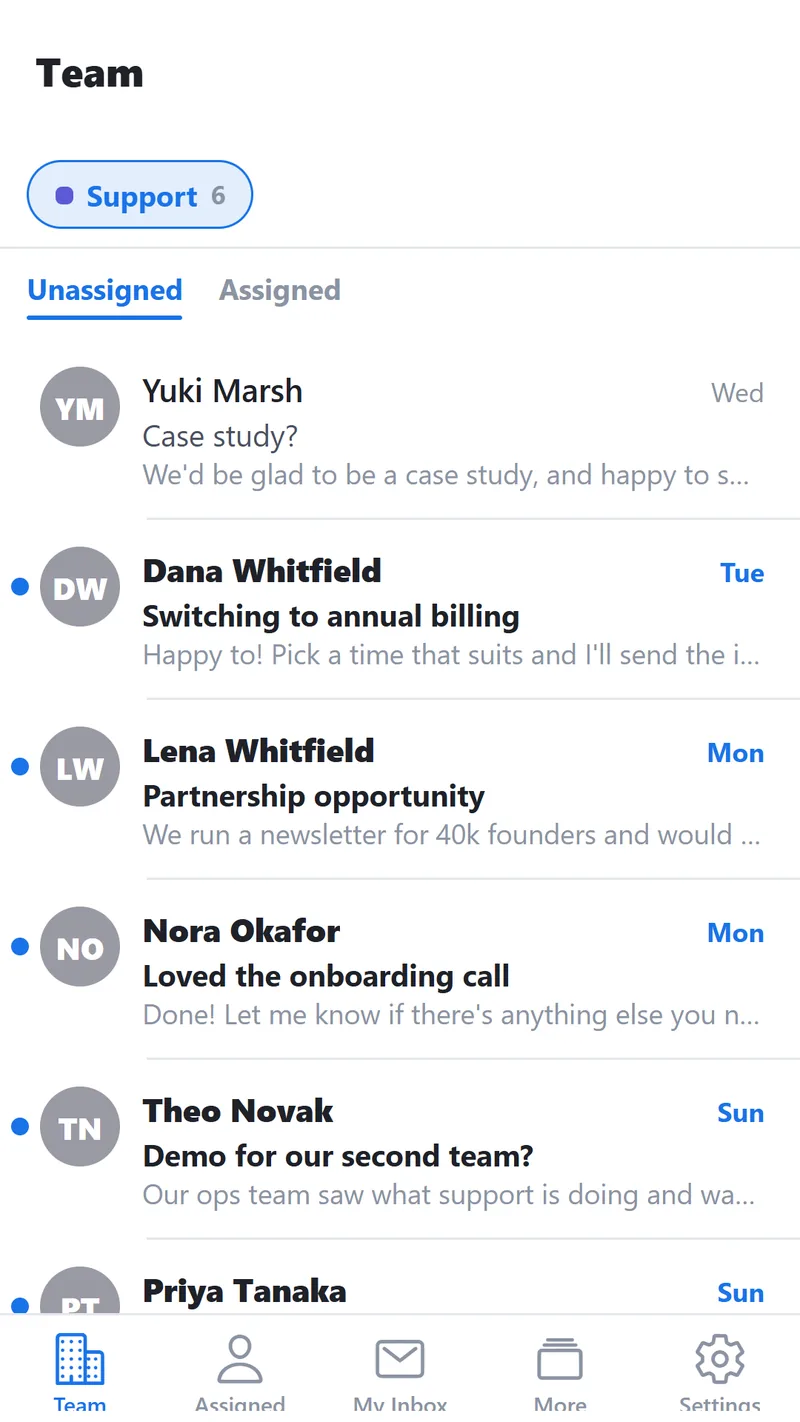
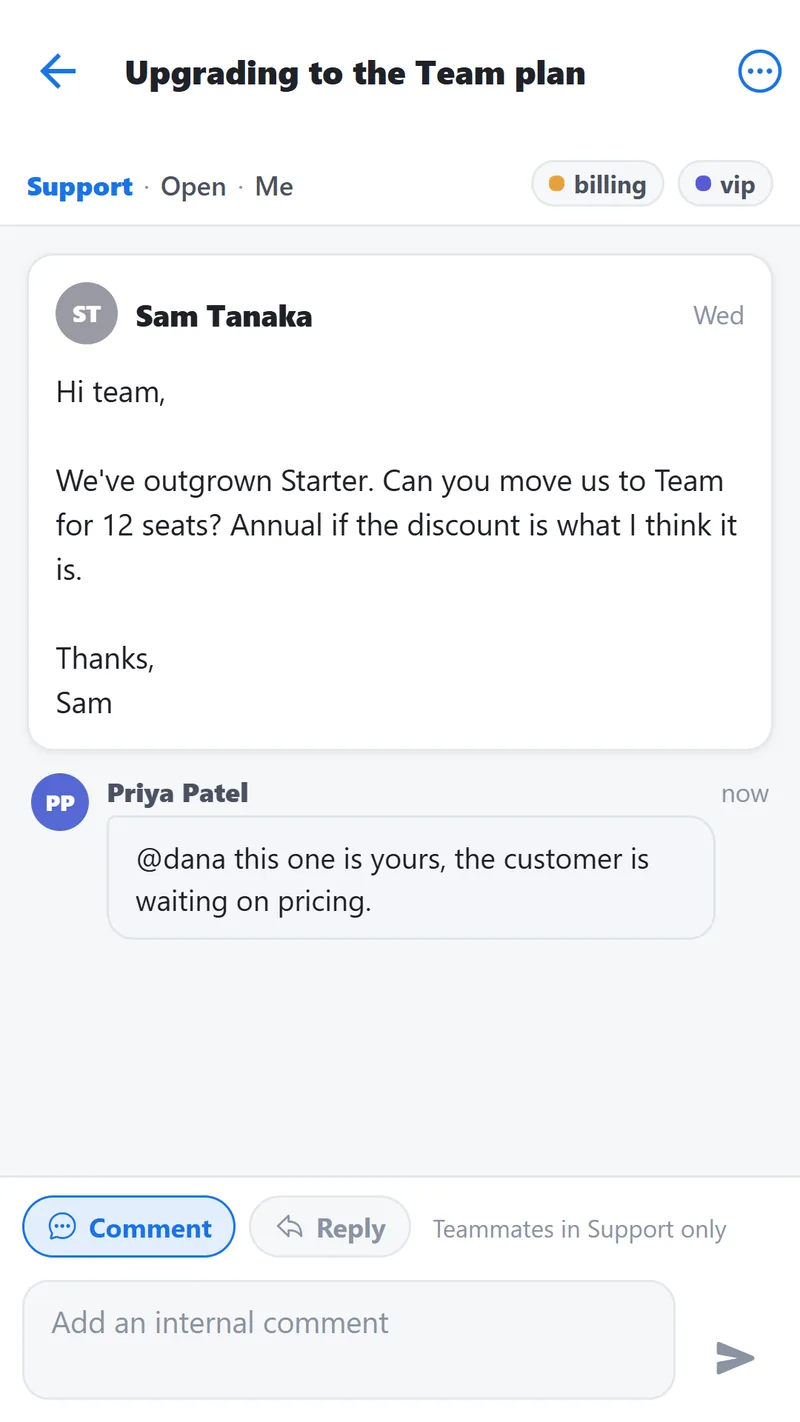
Opening a conversation shows the mail and your team’s internal comments in one thread, with a composer that switches between the two. A comment stays inside ShareMail; a reply goes to the customer.
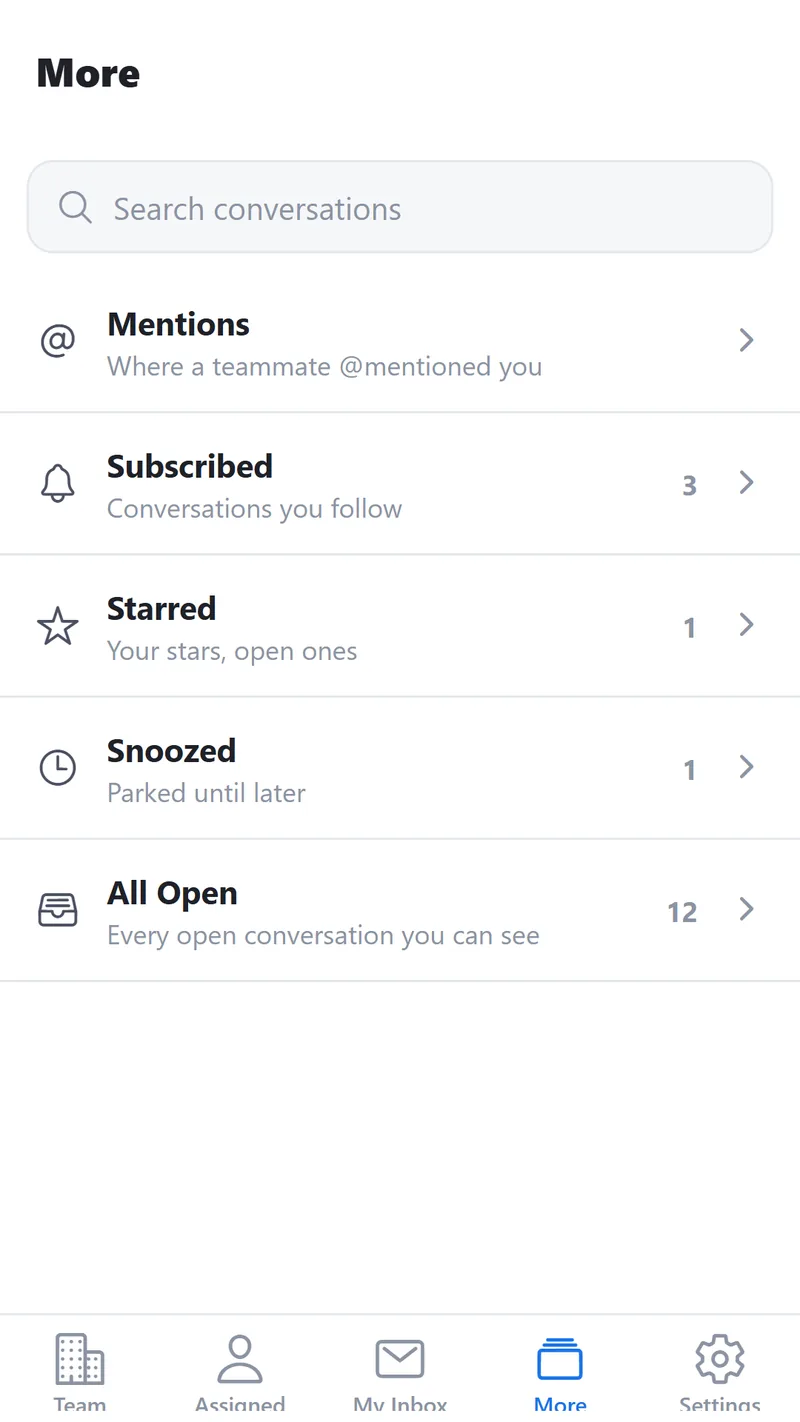
The More tab holds search and the views that are not a mailbox: mentions, conversations you follow, starred, snoozed, and everything open.
Admin settings stay on the web. Inboxes, teammates, rules, integrations and billing are not on the phone, and are not planned to be.
Updated September 2026. Something wrong or missing? Tell us and one of the two of us will fix it.